
If you’re planning to buy a Morocco airport SIM card, the main decision is whether to get connected immediately after landing or wait until you reach the city. At Marrakech (RAK) and Casablanca (CMN), official mobile operators sell prepaid SIM cards for tourists, but the packages, data allowances and prices can vary.
I’m Youness, a licensed Moroccan tour guide based in Marrakech. After helping travelers set up their phones for many years, my practical advice is simple: buy from an official operator or properly branded reseller, bring your passport, and do not leave until mobile data works with Wi-Fi switched off.
The airport is convenient when you need an immediate connection. A city shop usually gives you more time to compare packages and solve registration problems. Neither option is automatically right for every traveler.
Table of Contents
Table of Contents
Morocco Airport SIM Card: Quick Answer
| Question | Practical answer |
|---|---|
| Can tourists buy a SIM card? | Yes. Visitors can purchase prepaid Moroccan SIM cards. |
| Main operators | Maroc Telecom, Orange and inwi |
| Identification | Bring your passport |
| Basic SIM price | A prepaid card can start around 20 MAD, depending on the operator and current offer |
| Data cost | Small recharges can start around 10 MAD; larger packages commonly cost 50–200 MAD or more |
| Best place to buy | An official operator shop is the safest option |
| Airport or city? | Airport for convenience; city for more time and package choice |
| Activation time | Usually completed at purchase if the registration and recharge work correctly |
| Main warning | Confirm the data allowance, validity period and total price before paying |
| My recommendation | Test mobile data before leaving the counter |
Do You Need to Buy a SIM Card at the Airport?
You do not need a physical SIM simply because you are visiting Morocco. The right choice depends on your route, trip length and how much you rely on mobile data.
A local SIM card for Morocco is useful when you:
- Will travel between several cities
- Need Google Maps or another navigation app
- Communicate with riads, drivers and restaurants through WhatsApp
- Want a Moroccan phone number
- Plan to use your phone as a hotspot
- Need more data than your home roaming plan provides
- Are staying for a week or longer
Hotel and riad Wi-Fi may be sufficient for a short resort stay. It is less convenient when you are trying to find a meeting point in a medina, contact a driver or navigate between towns.
When an eSIM may be easier
An eSIM may be more convenient when you want internet as soon as your flight lands or do not want to remove your home SIM.
It can also allow you to keep your normal number active for banking messages while using a separate data plan.
The detailed comparison belongs in my eSIM Morocco 2026 guide, which explains local Moroccan eSIMs, international travel eSIMs, setup and phone compatibility.
Which SIM Card Should You Choose at the Airport?
Morocco has three national mobile operators:
- Maroc Telecom
- Orange
- inwi
All three sell prepaid mobile services. The best choice depends on where you are traveling, not simply which logo you see first at the airport.
A traveler staying in Marrakech, Casablanca and Rabat may have different priorities from someone driving through mountain valleys or spending several days in southern Morocco.
I have seen guests use all three successfully. The most important first step is choosing a package that is properly registered and activated. Network comparisons come second.
For a detailed breakdown by route, coverage and traveler type, read my guide to the best SIM card in Morocco: Maroc Telecom vs Orange vs inwi.
Where to Buy a SIM Card After Arriving in Morocco
You can normally buy a physical prepaid SIM from:
- An operator counter at an airport
- An official operator shop in a city
- An authorized mobile-phone reseller
- A smaller neighborhood shop selling SIM cards and recharges
These options are not equal when something goes wrong.
Official operator shops
An official Maroc Telecom, Orange or inwi shop is usually the safest place for the initial purchase.
The staff can normally:
- Check your identification
- Register the line
- Insert the SIM
- Activate the selected package
- Check the phone settings
- Explain how to recharge
- Help if the connection does not work
This is especially useful for first-time visitors, older travelers and anyone who is not confident changing mobile settings.
Authorized resellers
A properly branded reseller can be convenient and may provide the same basic service.
Before paying, confirm that the seller will register the line correctly and activate the data package while you are present.
A reseller should be able to tell you:
- The operator
- The SIM price
- The recharge amount
- The data allowance
- The validity period
- How to check the balance
Small kiosks and neighborhood shops
Small shops are useful once your SIM is working and you only need another recharge.
For the first purchase, I prefer an official operator shop or established reseller. A small seller may be perfectly honest, but may not be able to solve registration or phone-configuration problems.
Marrakech Airport SIM Card (RAK): Where to Buy
Operator desks are commonly available at major Moroccan airports, but their exact position and operating arrangements can change.
At Marrakech Menara Airport, the Maroc Telecom, Orange and inwi SIM counters are currently located inside the baggage-claim area, before you pass through customs. If you want an airport SIM, buy it before leaving this area, because you normally cannot return once you have passed through customs.
Airport layouts and counter positions can change, so travelers arriving later in 2026 should still follow the signs and check the current setup on arrival.
After collecting your luggage:
- Test the connection before leaving the terminal
- Look for official Maroc Telecom, Orange or inwi branding
- Ask airport staff where the current operator counters are
- Confirm the package before handing over money
Advantages of buying at the airport
- You can leave the airport connected
- Staff regularly deal with international visitors
- Setup can be completed before you meet a driver
- You can contact your accommodation immediately
- You do not need to search for a phone shop after a long flight
Disadvantages of buying at the airport
- The selection may be limited to tourist-oriented bundles
- You may have less time to compare offers
- Busy counters can make explanations feel rushed
- The cheapest local recharge may not be the option being promoted
- Exact opening arrangements are not guaranteed.
An airport SIM is not automatically a scam. You are paying for convenience, but you still need to understand what the package includes.
Casablanca Airport SIM Card (CMN): What to Know
Casablanca Mohammed V Airport (CMN) is another common place to buy a prepaid Moroccan SIM after arrival. Look for official Maroc Telecom, Orange Morocco or inwi branding and compare the current tourist packages before paying.
If you are continuing directly from Casablanca toward Fes, the Atlas Mountains or the Sahara, I usually prefer Maroc Telecom based on my experience with coverage outside the main cities. If you are mainly staying in Casablanca, Rabat or other large cities, Orange and inwi can also be practical choices.
Before leaving the airport, make sure the SIM is registered in your name, the correct data package is active, and mobile data works with Wi-Fi switched off.
Buying a SIM Card in the City
An official city shop is usually better when you:
- Have temporary Wi-Fi after arrival
- Want time to compare packages
- Are staying for several weeks
- Need a larger data allowance
- Want detailed help with activation
- Have a dual-SIM phone and need help configuring it
- Need the line registered carefully in your name
City shops can be busy, particularly at the end of the working day. Bring your passport and allow enough time to test the service.
Avoid choosing a shop deep inside a crowded tourist area simply because someone approaches you in the street. Look for clear operator branding or use an official store locator.
Morocco Airport SIM vs City SIM: Which Is Better?
| Option | Advantages | Disadvantages | Best for |
| Airport counter | Immediate connection and convenient setup | Less time and choice when comparing offers | Short visits and travelers needing data immediately |
| Official city shop | More time to compare and better technical support | You need temporary Wi-Fi until reaching the shop | Most one-to-three-week trips |
| Authorized reseller | Convenient and widely available | Support quality varies | Straightforward purchases |
| Small neighborhood shop | Useful for quick recharges | Limited help with registration or technical problems | Top-ups after the line is working |
My recommendation
For a trip of only three or four days, buying at the airport may be worth the convenience.
For a normal one-to-three-week itinerary, either option can work. Buy at the airport if immediate contact matters, or wait for an official city shop when you prefer more time to compare.
For a longer stay, use a main operator branch and ask about the current prepaid and monthly options.
Morocco Airport SIM Card Prices in 2026
A Morocco SIM card does not have one standard tourist price.
The total you pay may include several separate items:
- The physical SIM card
- Starting call credit
- A mobile-data recharge
- National or international calls
- SMS allowances
- A temporary visitor package
- A promotional data bonus
This is why two travelers can pay different amounts at the same operator without either price necessarily being wrong.
Current Official Price Examples
The following examples were checked on August 3, 2026. Operator offers and promotions can change, so use them as a reference rather than a guaranteed airport or shop price.
| Current official example | What it includes | What it shows |
|---|---|---|
| Orange prepaid card: 20 MAD | Physical SIM or eSIM with 20 MAD of included credit | The basic card and a large data package are not the same purchase |
| Orange internet recharge: from 5 MAD | Data options ranging from 500 MB to larger allowances, depending on the selected recharge | Very small top-ups are available, but their data and validity differ |
| inwi visitor recharge: 100 MAD | 10 GB, national calls, SMS and selected international minutes, valid for 30 days | A visitor bundle can combine several services rather than data alone |
Orange also currently lists larger visitor packages, and inwi advertises higher-value short-stay and monthly options. These may be useful for heavy data use, but they are unnecessary for many ordinary trips.
Maroc Telecom’s Jawal prices and promotions should be checked through its official website or in an operator shop because the available passes can change.
Check the latest operator information here:
- Orange prepaid SIM cards and visitor offers
- Orange internet recharges
- inwi visitor offers
- Maroc Telecom Jawal offers
How Much Should You Budget?
For a short trip with light use, a basic SIM and small recharge may be enough.
For a one-to-three-week trip using navigation, WhatsApp, restaurant searches and occasional social media, a moderate package is normally more practical.
Travelers using their phone as a hotspot, streaming video or working remotely will need a larger allowance. Ask whether tethering is permitted before depending on the SIM for laptop work.
Do not choose a package only because it advertises the largest number of gigabytes. Check:
- The total price
- Whether the SIM card is included
- The amount of general-use data
- Whether some data works only with selected apps
- The validity period
- The included calls and SMS
- Whether the offer renews automatically
- How to check the remaining balance
- How to recharge later
A 100 MAD package valid for 30 days may be more useful than a larger promotional allowance that expires halfway through your trip.
Airport Prices Versus City Prices
Airport counters may promote convenient visitor bundles rather than the full range of ordinary prepaid recharges.
That does not automatically mean the airport offer is dishonest or overpriced. You are paying for immediate connectivity and help with installation. The important question is whether the seller clearly explains what the total price includes.
Before paying, ask the seller to show you the data allowance and expiration date in writing. Do not leave the counter until mobile data works with Wi-Fi switched off.
What You Need to Buy a SIM Card in Morocco

Most visitors need only a passport, an unlocked compatible phone and a way to pay.
Bring these items even when buying from an airport counter, because registration and activation should be completed before you leave.
Your passport
Moroccan mobile operators identify prepaid customers. For an international visitor, a passport is the most practical identification document.
Orange officially lists passports among the documents accepted for prepaid-line identification.
Use an official operator shop or established reseller and make sure the line is registered using your own details. Correct registration makes it easier to recover the number or receive support if the SIM is lost or stops working.
Keep the receipt or activation confirmation until the end of your trip.
An unlocked phone
Your phone must be unlocked from your home carrier before it can use a Moroccan SIM from another network.
An eSIM does not bypass a carrier lock. A locked device may reject both a physical Moroccan SIM and an eSIM from another provider.
On an iPhone:
- Open Settings
- Select General
- Select About
- Look beside Carrier Lock
If the phone is unlocked, Apple says it should display:
No SIM restrictions
Android menus vary by manufacturer. When you are unsure, contact your home carrier before traveling and ask whether the device is unlocked for international SIM cards.
Do not wait until arriving in Morocco to request an unlock. Your home operator may need time to process it.
A Compatible SIM Slot or eSIM Device
Check whether your phone accepts:
- A physical SIM
- An eSIM
- Two active SIMs
- Only one SIM at a time
Some newer phone models sold in particular countries do not include a physical SIM tray. In that case, you will need a compatible eSIM rather than a standard plastic SIM.
The seller should provide the correct physical SIM size when your phone has a SIM tray. Do not cut or modify the card yourself.
A Phone Compatible With the Moroccan Network
Most recent international smartphones work in Morocco, but compatibility is not guaranteed for every model.
Older phones, devices made for one regional market and inexpensive imported models may not support every frequency or network feature used by the Moroccan operator.
Before traveling, check:
- The exact phone model
- Whether it is carrier-unlocked
- Whether it supports 4G or 5G
- Whether it accepts a physical SIM or eSIM
- Whether dual-SIM use is available
- Whether hotspot use is supported
The operator logo appearing on the screen does not prove that the data package is working. Test a webpage or map with Wi-Fi switched off.
Moroccan Dirhams or Another Accepted Payment Method
Payment methods differ between airport counters, official shops and small resellers.
Some locations accept bank cards, while others may prefer cash. Carry enough Moroccan dirhams to avoid depending on one payment method.
Before paying, confirm whether the quoted total covers:
- The SIM card
- Registration
- Starting credit
- Mobile data
- Calls or SMS
- Any setup service
Ask for a receipt or written package confirmation whenever possible.
For cash, card and ATM advice, see my Morocco Currency Guide.
Before Leaving Home
Complete this short check before your flight:
- Confirm that the phone is unlocked
- Check whether it has a physical SIM tray
- Confirm eSIM support when relevant
- Save your home carrier’s support details
- Back up important contacts
- Store your home SIM safely after removing it
- Download offline maps for your first destination
- Save your accommodation address and telephone number
These checks take only a few minutes and prevent most of the problems that cannot be solved at a Moroccan phone counter.
How to Buy and Activate a Morocco SIM Card
Buying the card should take only a few steps, but do not rush the activation and testing.
Step 1: Choose an Official Seller
Use one of the following:
- An official airport operator counter
- A Maroc Telecom, Orange or inwi branch
- A clearly branded authorized reseller
For the initial purchase, I prefer a seller who can register the line, activate the package and test the phone while you are present.
Step 2: Explain What You Need
Tell the seller:
- How many days you will stay
- Whether you mainly need mobile data
- Whether you need local or international calls
- Whether you plan to use your phone as a hotspot
- Which parts of Morocco you will visit
A useful sentence in French is:
Bonjour, je voudrais une carte SIM prépayée avec internet. Je reste au Maroc pendant [number] jours. Je veux surtout des données.
This means:
Hello, I would like a prepaid SIM card with internet. I am staying in Morocco for [number] days. I mainly need data.
Step 3: Confirm the Package Before Paying
Ask the seller to show you:
- The total price
- The cost of the physical SIM
- The amount of general-use data
- The validity period
- Included calls or SMS
- Whether any data is restricted to selected apps
- Whether the allowance is promotional
- How to check the balance
- How to recharge later
Do not rely only on a spoken explanation at a busy airport counter.
Step 4: Register the Line
Provide your passport and make sure the line is registered correctly.
Keep the receipt, SIM packaging and any activation confirmation until the end of the trip. The packaging may contain the phone number, PIN, PUK or other account information.
Step 5: Insert the SIM Safely
Ask the seller to insert the SIM when you are unfamiliar with your phone or do not have the correct SIM-tray tool.
Store your home SIM in a small holder or sealed envelope. Loose SIM cards are easily lost inside a wallet or travel bag.
On a dual-SIM phone, confirm that:
Your home line remains active only when you need calls or verification messages
The Moroccan SIM is selected for mobile data
Data roaming is disabled on your home line
Step 6: Activate the Correct Recharge
The SIM card and the mobile-data package may be separate purchases.
Confirm that the seller has activated the data package rather than adding only ordinary call credit. Ask to see the activation message or current balance.
Test the Morocco SIM Before Leaving
Turn off Wi-Fi completely and test the connection using mobile data.
Check that:
- The Moroccan operator name appears on the screen
- A webpage loads
- Google Maps opens
- WhatsApp sends a message
- The Moroccan SIM is selected for mobile data
- The correct package has been activated
- You know the expiration date
- You know your Moroccan telephone number
- You understand how to recharge
Take a screenshot of the activation message, package details or remaining balance.
Do not accept “it will work later” without confirming that the phone has at least connected to the Moroccan network. Problems are much easier to solve while you are still standing beside the seller.
How to Recharge a Moroccan SIM Card
Once the line is registered and working, recharging is normally straightforward.
Depending on the operator, you may be able to recharge through:
- The operator’s official website
- The operator’s mobile app
- An official branch
- An authorized reseller
- A neighborhood recharge shop
- A printed recharge card
- A Moroccan banking or mobile-payment service
Official recharge pages:
Choose the Correct Recharge Type
Moroccan operators may sell different recharge types for:
- General call credit
- Mobile internet
- Calls and internet
- Social-media applications
- International calls
- Temporary unlimited or promotional packages
Entering or buying the wrong recharge type may give you telephone credit when you wanted mobile data.
Before paying for a recharge, confirm:
- The amount charged
- The data or call allowance
- The validity period
- Whether it is general-use data
- Whether a promotional bonus has conditions
- How to confirm successful activation
Recharge codes and promotional structures can change. Use the current instructions from the operator instead of copying a code from an old blog post or travel forum.
Can You Recharge in Another Moroccan City?
Yes. You do not need to return to the shop where the SIM was purchased.
Operator branches and recharge sellers are available throughout Morocco. Online or app-based payment may also work, although some foreign bank cards can be declined.
When online payment fails, an official shop or local recharge seller is normally the simplest alternative.
Does a Morocco SIM Card Include 5G?
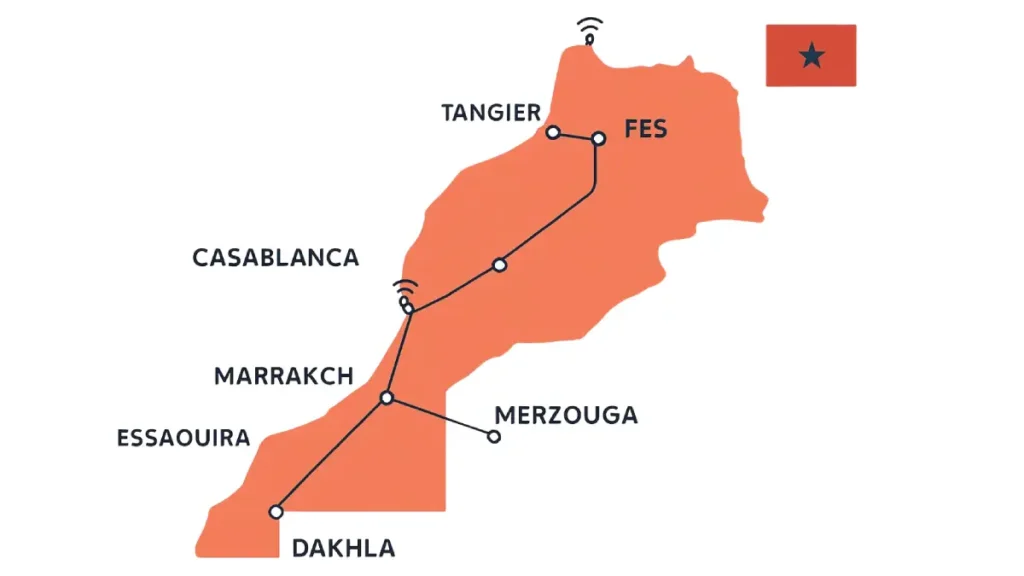
Commercial 5G is available in Morocco, but buying a Moroccan SIM does not automatically guarantee a 5G connection everywhere.
To use 5G, you generally need:
- A 5G-compatible phone
- A compatible prepaid package
- A correctly activated SIM or eSIM
- 5G enabled in the phone settings
- Coverage in your current location
In covered parts of major cities, a compatible phone may connect automatically. Outside those areas, it will normally fall back to 4G or another available network.
Before paying, ask:
- Does this prepaid package include 5G access?
- Does my phone model support the Moroccan network?
- Is 5G available along my route?
- Will the package continue working on 4G outside 5G coverage?
Do not choose a package only because the advertisement displays “5G.” For most visitors, reliable coverage, sufficient data and a practical validity period matter more than the maximum speed shown on the phone.
For travelers moving through mountains, southern valleys or desert routes, download offline maps before leaving the major towns.
Morocco Airport SIM Card: What the Advertised Price May Not Include
Airport counters make connectivity convenient, but the largest number on the advertisement may not tell you everything about the package.
Before paying, confirm:
- Whether the price includes the physical SIM
- The amount of general-use data
- The package validity period
- Whether part of the data is limited to selected apps
- Whether calls and SMS are included
- Whether 5G access is included
- Whether the offer renews automatically
- Whether the allowance is a temporary promotion
- How to check the remaining balance
- How to recharge later
An airport package is not automatically a bad deal. Immediate installation and support have value, especially after a late arrival.
The mistake is leaving without knowing exactly what was activated.
Ask the seller to show the package details on the phone or in writing. Then turn off Wi-Fi and test the connection before leaving the counter.
Common Morocco SIM Card Mistakes
Buying a SIM before checking the phone lock
A valid Moroccan SIM will not work correctly in a phone locked to another carrier.
Check the carrier-lock status before leaving home. An eSIM does not bypass a carrier lock.
Confusing the SIM card with the data package
The physical SIM, starting credit and mobile-data recharge may be separate products.
Confirm that an internet package was activated rather than only ordinary call credit.
Choosing only by the largest data allowance
A large promotional allowance may expire quickly or apply partly to selected applications.
Compare the general-use data and validity period before comparing the headline number.
Leaving while connected to the shop’s Wi-Fi
A successful WhatsApp message proves nothing when the phone is still using Wi-Fi.
Turn Wi-Fi off and load a webpage through mobile data.
Forgetting which SIM controls mobile data
On a dual-SIM phone, select the Moroccan line for mobile data and disable data roaming on your home line unless your home plan includes Morocco.
Otherwise, the phone may continue using expensive international roaming.
Losing the home SIM
Keep the removed card in a SIM holder, sealed envelope or secure compartment.
Do not place it loose inside a pocket or wallet.
Buying repeated recharges before diagnosing the problem
More credit will not repair a carrier lock, failed registration, incorrect data settings or incompatible phone.
Ask an official shop to identify the cause before buying another package.
What to Do if Your Morocco SIM Does Not Work

Work through these checks in order.
Turn Wi-Fi Off
Disable Wi-Fi so you are testing the Moroccan mobile connection rather than the hotel or shop network.
Check the Correct SIM Is Enabled
On a dual-SIM phone, confirm that:
- The Moroccan line is active
- It is selected for mobile data
- Your home SIM is not selected for data
- The phone is not restricted to the wrong network mode
Use Airplane Mode
Turn airplane mode on for approximately ten seconds, then turn it off.
This forces the phone to reconnect to the mobile network.
Restart the Phone
A restart can complete network registration after installing a new SIM.
Confirm the Package Was Activated
The phone can show the operator name even when no usable data package is active.
Check the activation message, operator application or account balance. Ask the seller whether the recharge was for internet data rather than ordinary call credit.
Check Mobile-Data and Network Settings
Confirm that:
- Mobile data is enabled
- The network mode allows 4G or 5G
- The phone is not manually locked to an unavailable network
- Data limits have not been reached
- Battery-saving settings are not blocking mobile data
Check the APN Settings
The Access Point Name, or APN, tells the phone how to connect to the operator’s mobile internet service.
The correct APN differs by operator. Do not copy settings from an old forum or from another Moroccan network.
Ask the official operator shop to configure the phone, or use the operator’s current support instructions. Orange, for example, publishes its own internet-configuration guidance and can send configuration settings to compatible phones.
Check Whether the Phone Is Carrier-Locked
A carrier lock can prevent the Moroccan SIM from operating even when registration and payment were completed correctly.
Contact your home provider if the device still shows a SIM restriction.
Move to Another Location
A weak indoor signal may be the problem rather than the SIM.
Test beside a window or outside. Coverage can be reduced inside thick-walled riads, mountain buildings and remote accommodation.
Return to an Official Operator Shop
Bring:
- Your passport
- Receipt
- SIM packaging
- Activation message
- Phone
- Any recharge confirmation
Explain what has already been tested. Do not purchase another SIM until the staff confirm whether the problem involves registration, activation, phone compatibility or coverage.
When mobile data is important for work, medical communication or a fixed transfer, keep accommodation Wi-Fi, offline maps and an alternative contact method as backups.
Physical SIM or eSIM at Morocco Airports?
If your phone supports eSIM and you want mobile data ready before landing, an international travel eSIM can be the easiest option.
A local physical SIM is usually better if you want a Moroccan phone number, local calls, larger prepaid packages or in-person support from Maroc Telecom, Orange or inwi.
A local Moroccan eSIM can offer similar operator service without using a physical SIM tray, but availability, registration and activation requirements depend on the operator and your phone.
For detailed provider comparisons and setup instructions, see my eSIM Morocco 2026 guide.
Can You Keep Your Home Number Active?
Many dual-SIM phones allow the home line and Moroccan line to remain installed at the same time.
A practical setup is:
- Moroccan SIM or eSIM for mobile data
- Home line for essential calls or verification messages
- Data roaming disabled on the home line
- WhatsApp kept on the existing registered number
Receiving calls or SMS on the home line may still create roaming charges depending on the provider. Check your home plan before leaving it active.
My Morocco Airport SIM Recommendation
For most travelers, the main decision is simple: buy at the airport if you need mobile data immediately, or wait for an official city shop if you already have Wi-Fi and want more time to compare packages.
Buy at the airport when immediate connectivity matters. Wait for an official city shop when you already have temporary Wi-Fi and want more time to compare packages.
Choose an international travel eSIM when your priority is being connected the moment you land and you do not need a Moroccan number.
My recommendations by traveler type are:
- Short city break: international travel eSIM or modest airport package
- One-to-three-week itinerary: local physical SIM or local operator eSIM
- Longer stay: official operator branch and a renewable prepaid or monthly option
- Remote route: choose the operator according to current coverage and keep offline maps
- Work trip: confirm hotspot use and keep a second connection as backup
- Family trip: one larger local package with hotspot capability may be simpler than several small plans
For a full comparison of Maroc Telecom, Orange and inwi by route and traveler type, see my Best SIM Card Morocco 2026 guide.
Whichever option you choose, do not leave the seller until:
- The line is registered
- The correct package is active
- Mobile data works with Wi-Fi switched off
- You know the validity period
- You know how to check the balance
- You know how to recharge or contact support
Once the connection works, my Getting Around Morocco in 2026 guide explains how to combine trains, buses, taxis, rental cars and private drivers.
FAQs About Morocco SIM Cards
Can tourists buy a prepaid SIM card in Morocco?
Yes. International visitors can buy prepaid SIM cards from Maroc Telecom, Orange and inwi.
Bring your passport because prepaid lines must be identified and registered. Use an official operator shop, airport counter or clearly branded authorized reseller.
Should I buy a Morocco SIM card at the airport or in the city?
Buy at the airport when you need mobile data immediately for maps, accommodation contact or transportation.
An official city shop is better when you already have temporary Wi-Fi and want more time to compare packages or receive technical help. Neither option is automatically cheaper, so compare what the total price includes.
How much does a Morocco SIM card cost?
The physical card, starting credit and mobile-data package may be priced separately.
Your total cost depends on the operator, data allowance, validity period and whether calls or SMS are included. Check the current official offers rather than relying on an old airport price or online forum.
Do I need a passport to buy a SIM card in Morocco?
Yes, you should bring your passport.
The seller uses it to identify and register the prepaid line. Keep the receipt and SIM packaging until your trip ends in case you need support.
Does my phone need to be unlocked?
Yes. A phone locked to your home carrier may reject both a Moroccan physical SIM and an eSIM from another operator.
On an iPhone, open Settings → General → About and check Carrier Lock. An unlocked iPhone should display No SIM restrictions.
Can I keep my normal WhatsApp number?
Yes. WhatsApp normally continues using the number already registered to your account after you insert a Moroccan SIM.
When WhatsApp asks whether you want to change the registered number, decline unless you intentionally want to move the account to the Moroccan number.
Can I use a Morocco SIM card as a hotspot?
Usually, but hotspot or tethering conditions can depend on the operator and package.
Confirm that tethering is permitted before buying the SIM when you need to connect a laptop, tablet or several family devices.
How do I check my remaining data?
The method depends on the operator and package.
Before leaving the seller, ask them to show you the current balance method, official application or account page. Take a screenshot of the package allowance and expiration date.
Can I recharge the SIM in another Moroccan city?
Yes. You do not need to return to the original shop.
You can usually recharge through operator branches, authorized sellers, official applications, websites or printed recharge cards. Confirm that you are buying mobile data rather than ordinary call credit.
Does a Moroccan SIM work in the Sahara?
Mobile service is available in many towns and inhabited desert gateways, including areas around Merzouga.
Coverage becomes less reliable on remote roads, among isolated dunes and away from settlements. Download offline maps, accommodation details and important messages before leaving the last major town.
Is 5G available in Morocco?
Yes. Commercial 5G is available in covered areas, particularly in larger cities.
You need a compatible phone, package and local 5G coverage. The device will normally fall back to 4G where 5G service is unavailable.
Is a physical SIM better than an eSIM for Morocco?
Choose a physical or local Moroccan eSIM when you want a Moroccan number, local calls and direct operator support.
Choose an international travel eSIM when you mainly need data and want to arrange connectivity before arriving. Many international travel eSIMs do not include a Moroccan telephone number.
Final Verdict: Is a Morocco SIM Card Worth Buying?
A Morocco SIM card is normally worthwhile when you will spend more than a few days traveling between cities, need a Moroccan number or regularly use maps, WhatsApp and online bookings.
Choose an airport package for immediate convenience. Choose an official city shop when you have temporary Wi-Fi and want more time to compare packages. Choose an international travel eSIM when you want data ready before landing and do not need a local number.
Whatever you choose, follow one rule: do not leave the seller until mobile data works with Wi-Fi switched off.
Confirm that the line is registered, the correct package is active, you know when it expires and you understand how to recharge it. That five-minute check prevents most Morocco SIM card problems later in the trip.