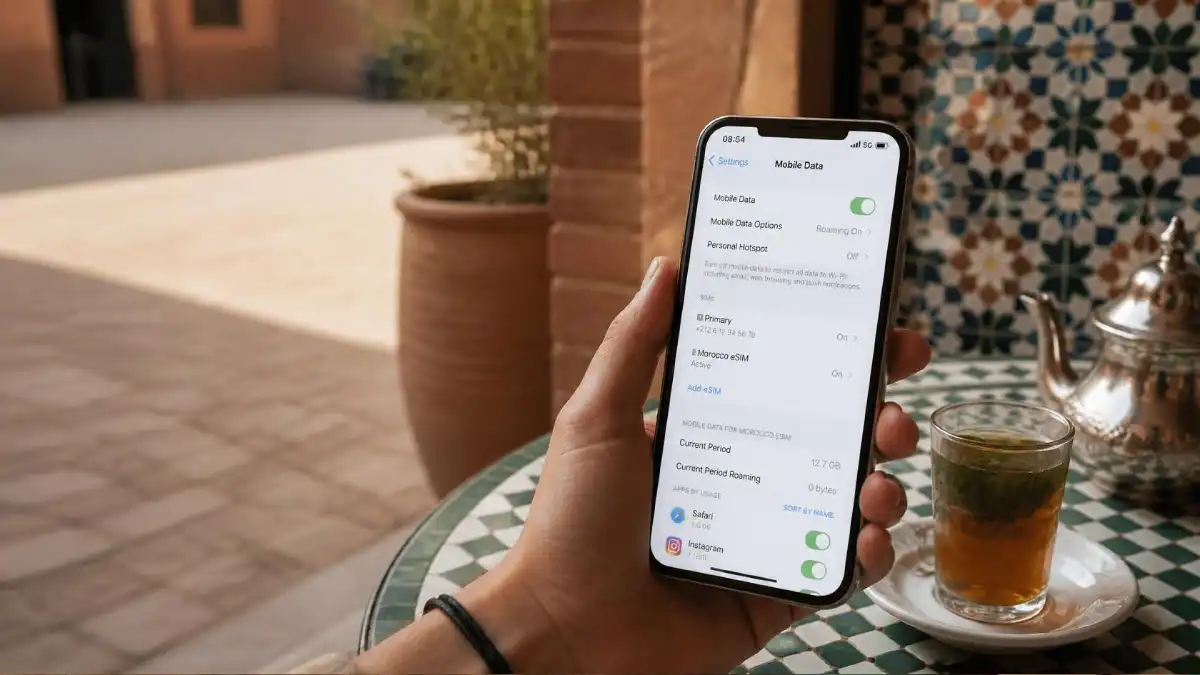
eSIM Morocco 2026: Best eSIMs, Prices and Setup
If you’re looking for an eSIM for Morocco, the main advantage is simple: you can set up mobile data before you arrive and avoid buying a physical SIM at the airport. In this guide, I compare the main Morocco eSIM options, including Yesim, Airalo, Holafly, Nomad and Saily, looking at data allowances, validity, hotspot rules and practical differences.
The best eSIM for Morocco depends mainly on how much data you need and how long you are staying. If you want to buy an eSIM for Morocco before your trip, I would start by checking Yesim, then compare it with Airalo, Holafly and Nomad before deciding.
Check Yesim Morocco eSIM plans →
An eSIM issued by a Moroccan mobile operator may provide a local Moroccan number, calls, SMS and mobile data, depending on the operator and plan. An international travel eSIM is normally purchased before departure and usually provides mobile data through a partner network.
Both can work well. The right option depends on your phone, route, trip length, data use and whether you need a local telephone number.
As a licensed Moroccan guide, I often see travelers install a travel eSIM before departure because they want maps and WhatsApp working immediately after landing. For longer journeys, heavier data use or local calls, a Moroccan operator’s SIM or eSIM may offer better value and easier in-person support.
This guide explains how eSIMs work in Morocco, what to check before buying, realistic data needs, activation, coverage, troubleshooting and when a physical SIM remains the better choice.
If you prefer a local Moroccan number or want to compare Maroc Telecom, Orange and inwi, see my Morocco SIM card guide. It explains the differences between the main Moroccan networks and which one may suit different parts of your trip.
Table of Contents
Table of Contents
Best eSIM for Morocco: Quick Answer
For most travelers, I would start by comparing Yesim, Airalo, Holafly and Nomad. Yesim is my first option to check for larger-data plans, while Airalo is useful for comparing smaller packages. Holafly is worth checking if you prefer an unlimited-style plan, and Nomad offers another good range of fixed-data options.
If you only want mobile data working as soon as you land in Morocco, buying and installing an eSIM before departure is usually the easiest option. If you need a Moroccan phone number, local calls or more in-person support, a physical SIM from Maroc Telecom, Orange or inwi may suit you better.
Check Yesim Morocco eSIM plans →
Yes, eSIM works in Morocco when your phone is compatible, carrier-unlocked and connected to a supported Moroccan network.
You have two main choices:
| eSIM type | Best for | Main advantage | Main limitation |
|---|---|---|---|
| International travel eSIM | Short visits and travelers wanting data immediately after landing | Can usually be purchased and installed before departure | Often data-only and may cost more per gigabyte |
| Local Moroccan eSIM | Longer stays, local calls and direct operator service | Can provide a Moroccan number and local prepaid services | Registration or an operator-shop visit may be required |
Maroc Telecom, Orange and inwi currently provide eSIM service for compatible devices. Orange also offers online prepaid eSIM activation by QR code, while inwi directs customers through its eSIM process and agency network. Availability, identification requirements and package terms should be checked directly before purchase.
Travel eSIM vs Local Moroccan SIM or eSIM
For a short city-based trip, an international travel eSIM is often the simplest option because you can arrange it before flying.
For a one-to-three-week itinerary, compare that convenience with a local Moroccan eSIM or physical SIM. A local option can make more sense when you need:
- A Moroccan telephone number
- Local calls or SMS
- A larger data allowance
- In-person technical support
- Easier local recharging
For mountain, rural or Sahara routes, the important question is not only whether the product is an eSIM. Check which Moroccan network it uses, because coverage depends on the underlying operator and your exact location.
Before buying any eSIM, confirm:
- Your exact phone model supports eSIM
- The phone is carrier-unlocked
- Morocco is included in the selected plan
- The data allowance and validity period
- When the validity period begins
- Whether hotspot use is permitted
- Whether the plan includes calls, SMS or a Moroccan number
- Which local Moroccan network provides the connection
- Whether the plan can be recharged
For buying, registering and recharging a local physical card, see my Morocco SIM Card 2026 guide. For a comparison of Maroc Telecom, Orange and inwi, use my Best SIM Card Morocco 2026 guide.
Where to Buy an eSIM for Morocco
You can buy an eSIM for Morocco online before your trip, install it on a compatible phone, and keep it ready for activation when you arrive. This is usually more convenient than waiting until the airport to arrange mobile data.
Compare the total data allowance, validity period, hotspot rules and fair-use limits rather than choosing only by the advertised price. Yesim, Airalo, Holafly and Nomad all offer Morocco eSIM plans, but their packages and conditions can change.
Best eSIM Providers for Morocco Compared
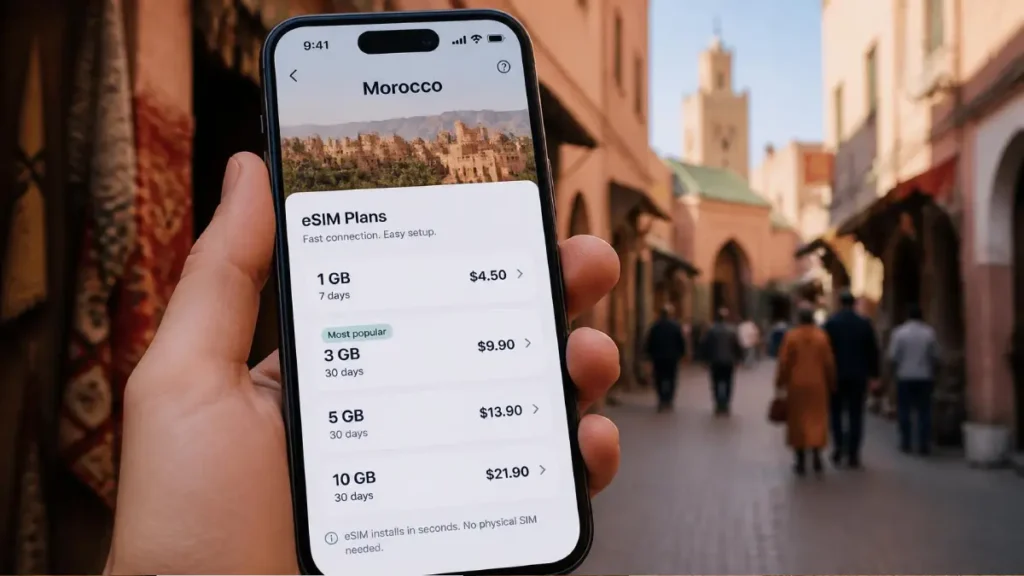
Affiliate disclosure: This section contains affiliate links. If you purchase through one of these links, Morocco Unfolded may earn a commission at no additional cost to you. Recommendations are based on plan structure and traveler needs, not commission rates.
| Provider | Worth comparing for | Important check |
|---|---|---|
| Yesim | Larger-data plans and your primary recommended option | Check current data limits, speed rules and validity |
| Airalo | Travelers comparing Morocco-specific eSIM packages | Check current price, data allowance and local network |
| Holafly | Travelers comparing high-data or longer-use options | Check current fair-use, hotspot and speed conditions |
| Nomad | Travelers comparing several data and validity options | Compare price per GB and current Moroccan partner network |
| Saily | Travelers wanting another app-based eSIM alternative | Confirm Morocco coverage and the exact package terms |
If you want to arrange your data before departure, Yesim is the first option I would check, then compare its current price and data allowance with Airalo, Holafly and Nomad below.
Yesim Morocco eSIM – My First Option to Check
Yesim is the first eSIM provider I would check for Morocco if you want to arrange your mobile data before arrival. It offers both fixed-data and unlimited-style plans, and the eSIM can be installed before your trip and activated when it connects to a compatible network in Morocco. Yesim also allows top-ups on active plans.
Current Morocco options include fixed packages from small data allowances up to larger 20 GB and 30 GB plans, as well as unlimited-data options. Connection speeds can vary between 3G, 4G/LTE and 5G depending on the local network and your location.
One practical advantage is that Yesim is data-only, so you can keep your normal SIM active for your regular phone number and WhatsApp while using the eSIM for internet access. Hotspot availability can depend on the local operator, and unlimited plans can be subject to fair-use speed limits, so check the latest conditions before purchasing.
Best for: travelers who want to organize their internet before landing and want a choice between fixed-data and higher-data plans.
Check before buying: current price, data allowance, validity, hotspot rules and whether your phone supports eSIM.
Check Yesim Morocco eSIM plans →
Airalo Morocco eSIM – Good for Flexible Data Packages
Airalo is one of the better-known eSIM providers for Morocco and is worth comparing if you want a choice between fixed-data and unlimited plans. Its Morocco eSIM currently uses the Orange Morocco network, and Airalo offers both short-stay packages and larger data options.
Airalo also offers unlimited Morocco plans, but these can be subject to a fair-use policy. For example, some current unlimited packages reduce speed after around 3 GB of use per day, so check the exact conditions before buying.
Best for: travelers who want several package sizes and an easy way to compare fixed-data versus unlimited options.
Check before buying: current price, data allowance, validity period, fair-use limits and whether your phone supports eSIM.
Check Airalo Morocco eSIM plans →
Compare the current price per gigabyte rather than assuming Airalo will always be the cheapest provider.
Holafly Morocco eSIM – Best for Unlimited Data
Holafly is worth comparing if you expect to use a lot of mobile data in Morocco and do not want to keep checking a fixed GB allowance. Its current Morocco eSIM offers unlimited data, with 4G/LTE and 5G where available, using Moroccan networks including Maroc Telecom, Orange Morocco and inwi.
One thing to understand before buying is that “unlimited” does not necessarily mean unlimited full-speed usage at all times. Holafly says local network fair-use policies can temporarily reduce speeds after unusually high usage. Hotspot sharing is also limited rather than completely unlimited, so check the current Morocco plan terms before purchasing.
Best for: travelers using lots of maps, social media, video or work data who prefer an unlimited-style plan.
Check before buying: current price, hotspot allowance, fair-use conditions and whether your phone supports eSIM.
Check Holafly Morocco eSIM plans →
Nomad eSIM Morocco – Good for Flexible Data Plans
Nomad is another useful option for travelers who want a prepaid Morocco eSIM with several data sizes and validity periods. Its Morocco plans currently include smaller short-stay packages as well as larger plans for longer trips, and Nomad says its Morocco eSIM can connect through Orange and Maroc Telecom networks.
One useful feature is that you can add more data to the same eSIM instead of installing a completely new one when your first package runs out. Nomad also says most plans activate when they connect to the destination network, although some plans may require manual activation, so check the instructions sent with your eSIM.
Best for: travelers who want several fixed-data options and the flexibility to add more data during the trip.
Check before buying: current price, data allowance, validity period, supported network and whether your phone is eSIM-compatible.
Check Nomad Morocco eSIM plans →
Saily Morocco eSIM – Another App-Based Option
Saily offers Morocco-only packages as well as regional and global options. Its current global destination list includes both Morocco and Spain, which may suit travelers combining the two countries.
Do not assume that every Saily European package covers Morocco. Morocco is not included in the standard Europe country list, so travelers combining Spain and Morocco should examine the global plan or buy separate country packages.
Best for: travelers who already use Saily or want another app-based eSIM option to compare.
Check before buying: confirm that the exact plan includes Morocco, especially if you are looking at a Europe or multi-country package.
Other eSIM Option: Drimsim
Drimsim is another eSIM provider that can work in Morocco, but I would compare its current pricing and data rates carefully against Yesim, Airalo, Holafly and Nomad before buying. For most travelers, one of the larger providers above will usually be easier to compare for data allowance, validity and overall value.
Check current Drimsim Morocco rates →
Which Travel eSIM Would I Choose?
For a short Morocco trip, I would first compare Yesim, Airalo, Holafly and Nomad rather than choosing by brand name alone.
Yesim is the first option I would check for larger-data needs. Airalo is useful for comparing smaller and flexible packages. Holafly is worth checking if you prefer an unlimited-style plan, while Nomad is useful for comparing several fixed-data options.
For a trip combining Morocco with Spain or other countries, check whether the exact plan covers every destination before paying. A regional or global eSIM can be convenient, but two separate country plans can sometimes cost less.
For heavier data use, remote work or longer stays, compare the travel eSIM options with a local Moroccan SIM or eSIM, because a local plan may offer better value or easier support.
Whichever provider you choose, check the live plan details immediately before paying. Prices, networks, hotspot rules and validity periods can change.
How to Install and Activate an eSIM for Morocco
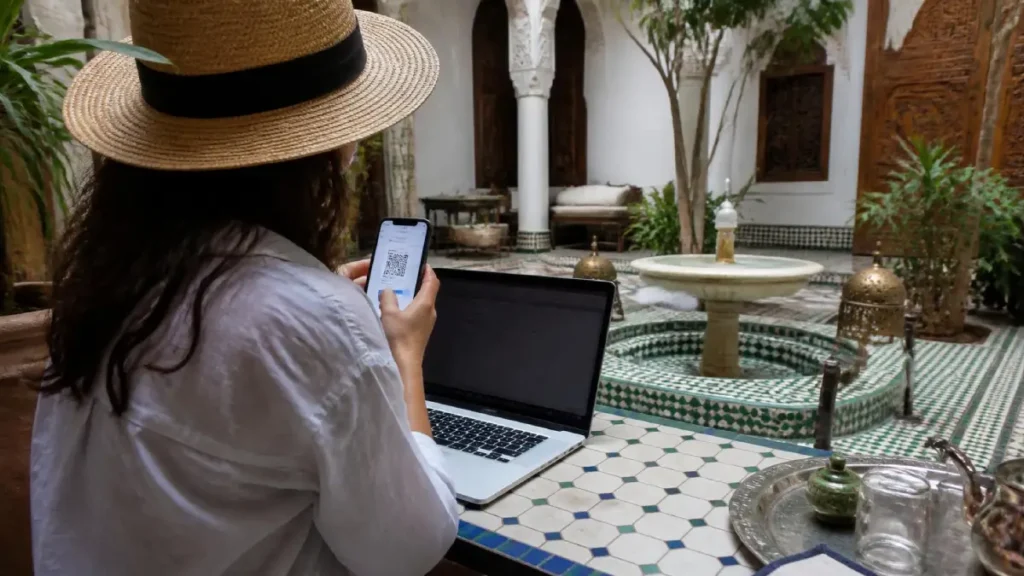
Installing the eSIM before departure is normally easier than trying to complete the process after landing with limited Wi-Fi.
Do not activate the data package until you understand when its validity period begins. Some plans begin when installed, while others begin only after connecting to a supported network in Morocco.
Step 1: Confirm That Your Phone Supports eSIM
Check the exact phone model rather than only the brand.
An iPhone, Samsung Galaxy or Google Pixel family may include both compatible and incompatible models depending on the year and country of purchase.
Also confirm that the phone is carrier-unlocked. An eSIM does not bypass a lock placed by your home mobile provider.
On an iPhone:
- Open Settings
- Select General
- Select About
- Find Carrier Lock
An unlocked iPhone should display:
No SIM Restrictions
Android menus vary. Contact your home carrier when you cannot confirm the lock status.
Step 2: Choose the Exact Plan
Before paying, check:
- Morocco is included
- Data allowance
- Validity period
- Activation policy
- Local partner network
- Hotspot or tethering rules
- Top-up availability
- Calls and SMS
- Refund conditions
- Customer-support method
Do not choose only by the lowest advertised price or largest data number.
For a multi-country trip, check every country individually. A plan described as European does not necessarily include Morocco.
Step 3: Install the eSIM While Connected to Reliable Wi-Fi
Purchase the plan and follow the provider’s instructions.
Installation normally uses:
- A QR code
- The provider’s application
- Manual activation information
- Direct installation on supported phones
On an iPhone, the usual route is:
Settings → Cellular or Mobile Data → Add eSIM → Use QR Code
On a compatible Google Pixel, the route is generally:
Settings → Network & internet → SIMs → Add SIM → Set up an eSIM
Samsung and other Android menus differ by model.
Keep the QR code, confirmation email and manual activation details until the trip ends. Some QR codes cannot be reused after deletion.
Step 4: Label the New Line
Give the line a clear name such as:
Morocco eSIM
This prevents confusion when your home SIM remains active.
Before departure, keep your normal line selected for calls and mobile data unless the provider specifically instructs you to activate the travel plan earlier.
Step 5: Activate It After Landing
After arriving in Morocco:
- Turn off airplane mode
- Open the phone’s SIM or mobile-data settings
- Enable the Morocco eSIM
- Select it for mobile data
- Enable data roaming on the travel eSIM when the provider requires it
- Disable data roaming on your home line
- Leave network selection on automatic unless instructed otherwise
- Turn Wi-Fi off and test a webpage
Enabling roaming on a travel eSIM does not mean your home line must also use roaming. Check carefully which line controls mobile data.
Step 6: Keep Your Home Number Without Using Its Data
Many dual-SIM phones allow the home line and travel eSIM to remain active together.
A practical setup is:
- Morocco eSIM for mobile data
- Home line for essential calls or verification messages
- Data roaming disabled on the home line
- WhatsApp kept on its existing number
Your home carrier may still charge for received calls or SMS. Check its roaming rules before leaving the line active.
What to Do When the eSIM Does Not Work
Work through these checks in order:
- Turn Wi-Fi off
- Confirm the Morocco eSIM is enabled
- Select it as the mobile-data line
- Check whether data roaming is required
- Turn airplane mode on for ten seconds, then off
- Restart the phone
- Leave network selection on automatic
- Check the provider’s APN instructions
- Confirm that the package is active and not expired
- Contact the eSIM provider before deleting the profile
Do not delete the eSIM as your first troubleshooting step. Reinstallation may require a new QR code or support from the provider.
Can You Install an eSIM After Arriving?
Yes, provided you have reliable Wi-Fi, a compatible unlocked phone and access to the purchase confirmation.
Installing it before departure remains safer because you can solve payment, QR-code and compatibility problems while you still have your normal connection.
Local Moroccan operators also provide eSIM services. Maroc Telecom says its eSIM can provide internet, calls and SMS, while Orange offers QR-code activation for eligible prepaid eSIM purchases.
How Much eSIM Data Do You Need in Morocco?
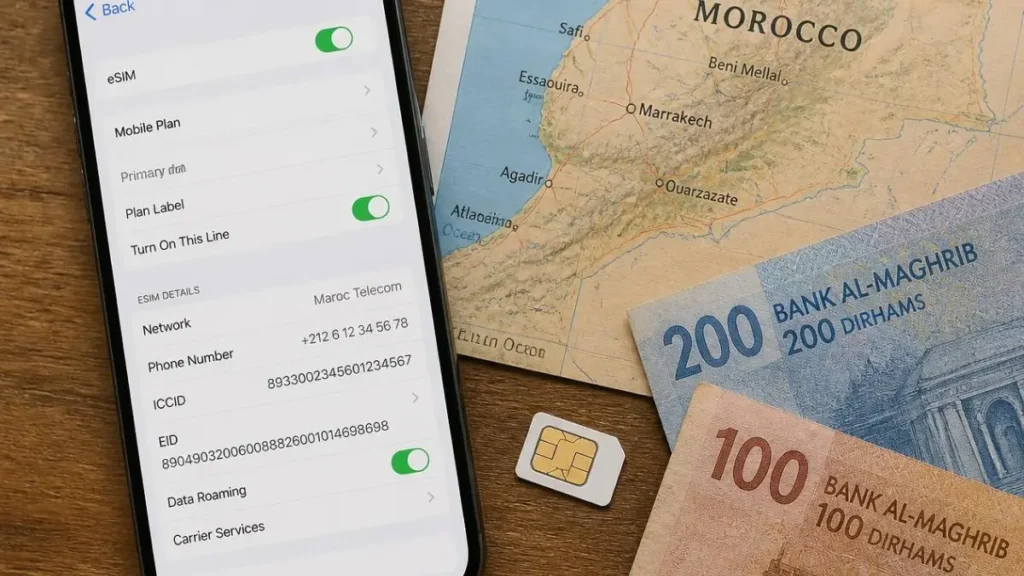
The right data allowance depends more on how you use your phone than how many days you spend in Morocco.
Maps, WhatsApp and occasional searches use relatively little data. Video calls, automatic photo backups, streaming and hotspot use can consume an allowance quickly.
Use these as planning estimates rather than guaranteed requirements:
| Usage style | 7-day trip | 14-day trip | 30-day trip |
|---|---|---|---|
| Light use | 3–5 GB | 5–10 GB | 10–20 GB |
| Regular travel use | 5–10 GB | 10–20 GB | 20–40 GB |
| Heavy use or remote work | 15 GB or more | 30 GB or more | 60 GB or more |
Light Use
A smaller package may be enough when you mainly use:
- Google Maps
- WhatsApp messages
- Restaurant searches
- Occasional social-media updates
- Accommodation Wi-Fi for larger downloads
For a one-week trip, 3–5 GB is often a reasonable starting point.
Regular Travel Use
Choose a medium-sized allowance when you expect to:
- Upload photographs regularly
- Watch short videos
- Make occasional WhatsApp or FaceTime calls
- Use navigation throughout the day
- Browse social media away from Wi-Fi
- Use translation applications frequently
For most one-to-two-week Morocco itineraries, 10–20 GB provides a comfortable margin without paying for data you may never use.
Heavy Use and Remote Work
You will need considerably more data when you:
- Join regular video meetings
- Stream films or television
- Back up photographs automatically
- Use your phone as a laptop hotspot
- Upload large video files
- Work from places with unreliable accommodation Wi-Fi
Before buying, confirm that the plan permits hotspot or tethering. Some providers restrict it even when the package is described as unlimited.
What Does “Unlimited” Actually Mean?
An unlimited eSIM may still include:
- A daily high-speed limit
- Reduced speeds after heavy use
- Hotspot restrictions
- Video-quality limits
- A fair-use policy
- A maximum validity period
Read the complete plan conditions rather than relying on the word unlimited.
A fixed 20 GB or 30 GB package may be more useful than an unlimited plan that slows down after a small daily allowance.
How to Reduce Mobile-Data Use
Before traveling:
- Download offline Google Maps
- Download music and films on Wi-Fi
- Disable automatic photo and video backup
- Turn off application updates over mobile data
- Disable autoplay in social-media applications
- Use accommodation Wi-Fi for large uploads
- Check which SIM controls mobile data
- Monitor usage through the phone settings or provider application
On a dual-SIM phone, make sure your home line is not using international roaming in the background.
My Data Plan Recommendation
For most visitors:
- Short city break: 3–5 GB
- One-week trip: 5–10 GB
- Two-week itinerary: 10–20 GB
- Three-to-four-week trip: 20–40 GB
- Remote work or frequent hotspot use: compare larger packages with a local Moroccan SIM or eSIM
Do not automatically buy the largest package. First check whether it can be topped up. A smaller renewable plan may cost less and reduce wasted data.
eSIM Coverage in Morocco: Cities, Atlas Mountains and Sahara
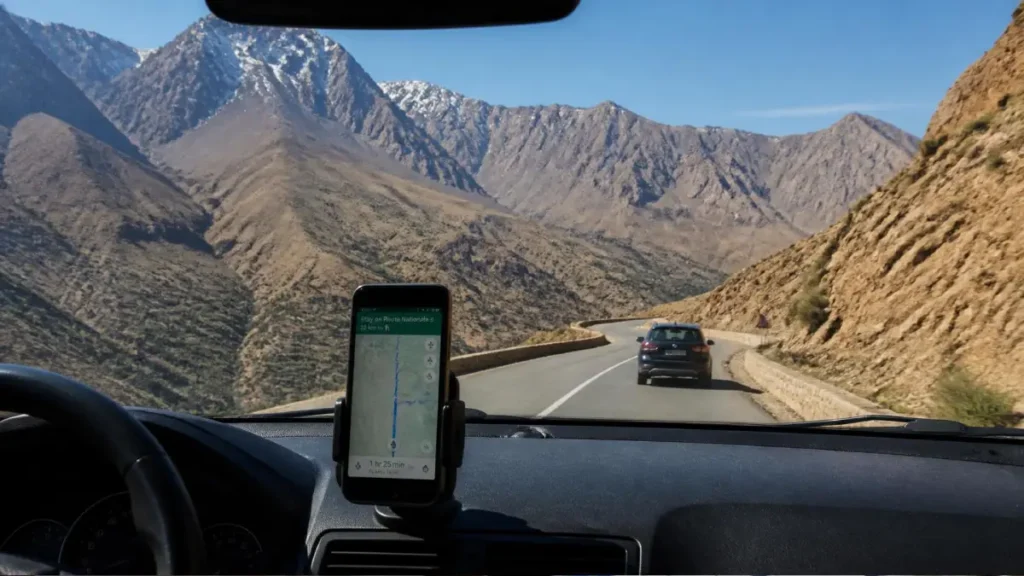
An eSIM does not have its own mobile network.
An international travel eSIM connects through one of Morocco’s local operators. Its coverage therefore depends on:
- The Moroccan partner network
- Your exact location
- Your phone’s supported frequencies
- Local network congestion
- The building or terrain around you
- Whether the plan allows 4G or 5G access
Two travel eSIMs can provide very different results in the same place when they use different partner networks.
Before buying, ask the provider which Moroccan network the plan uses. If the provider does not disclose it, avoid promising yourself a particular level of coverage.
Coverage in Morocco’s Major Cities
Mobile data is normally easiest to use in major cities such as:
- Marrakech
- Casablanca
- Rabat
- Tangier
- Fes
- Agadir
- Essaouira
Even in a city, signal can weaken inside thick-walled riads, basement restaurants, elevators and older buildings.
When data works outside but not inside the accommodation, the problem may be the building rather than the eSIM.
A city connection is normally sufficient for:
- Maps
- Restaurant searches
- Ride applications
- Accommodation contact
- Ordinary browsing
Do not depend on mobile data alone for an important work meeting. Hotel or coworking Wi-Fi quality should be checked separately.
Coverage on Trains and Main Roads
Mobile data is commonly available along major transport corridors, but the connection can drop temporarily as the train or vehicle moves between network areas.
Do not expect uninterrupted streaming or video calls throughout a long journey.
Before leaving a city:
- Download the route offline
- Save accommodation details
- Screenshot tickets and booking confirmations
- Download music or entertainment
- Tell the driver or property your expected arrival time
- Keep important telephone numbers available offline
This is particularly useful when crossing the High Atlas or traveling through long stretches of southeastern Morocco.
Coverage in the Atlas Mountains
Mountain coverage varies by valley, village and road.
A phone may show a strong signal in one village and lose service a short distance farther along the trail or behind a mountain ridge.
Do not treat mobile coverage as a safety system during:
- Remote hiking
- Winter mountain travel
- Multi-day treks
- Unmarked routes
- Journeys beyond populated valleys
For a serious trek, carry offline maps and use a qualified local guide when the route requires one. Tell the accommodation or guide about any medical or communication needs before departure.
My Trekking Atlas Mountains Morocco 2026 guide explains route planning and where communication may become less reliable.
Coverage in Merzouga and Erg Chebbi
Merzouga, Hassilabied and other inhabited areas beside Erg Chebbi commonly have mobile service.
The signal may become less reliable:
- Farther among the dunes
- On remote tracks
- Inside some tents
- During local network congestion
- At camps farther from settlements
Ask the camp:
- Which operator normally works best there
- Whether Wi-Fi is available
- Whether electricity operates throughout the night
- Where guests can receive the strongest signal
- How the camp communicates during an emergency
Download the meeting point, camp telephone number and route details before leaving the last town.
See my Merzouga Desert Guide for accommodation, camp and transport planning.
Coverage Around Erg Chigaga
Erg Chigaga is more remote than Erg Chebbi.
The final approach commonly involves off-road travel beyond M’Hamid or Foum Zguid, and mobile service should not be assumed throughout the journey or at every camp.
Confirm communication arrangements with the tour or camp operator before departure.
A functioning phone does not replace:
- An experienced driver
- A suitable vehicle
- Known meeting points
- Adequate water
- Weather awareness
- A route plan
My Erg Chebbi vs Erg Chigaga guide compares the access and isolation of the two desert regions.
Will Your Morocco eSIM Use 5G?
Morocco has active 5G services, but seeing a 5G advertisement does not mean your travel eSIM will connect to 5G everywhere.
You generally need:
- A 5G-compatible phone
- Current software
- A plan that permits 5G
- A partner network offering 5G access
- Coverage in your location
- 5G enabled in the phone settings
When those conditions are not met, the phone will normally use 4G or another available network.
Maroc Telecom states that compatible phones fall back to 4G+ outside its covered 5G zones. Orange and inwi also publish current 5G information through their official websites.
Check:
For ordinary travel, a stable 4G connection is normally more valuable than briefly seeing the 5G symbol.
Should You Carry a Backup SIM?
Most city-based travelers do not need two mobile plans.
Consider a backup connection when:
- You work online
- You have an essential medical or family contact
- You are crossing remote areas for several days
- Your eSIM provider does not disclose its Moroccan partner network
- You depend on mobile data for a private transfer or accommodation meeting point
A backup may be:
- A second eSIM using another network
- A local Moroccan SIM
- Accommodation Wi-Fi
- Offline maps and saved documents
- A companion’s phone on another operator
I would not claim that one Moroccan operator is always best in every rural location. Coverage can differ from one valley, road or camp to the next.
The practical approach is to ask the accommodation, guide or camp which network currently performs best at that exact location.
Avoid Unexpected eSIM and Roaming Costs
The advertised eSIM price may not always equal the final amount charged to your card.
Before paying, check:
- The billing currency
- Taxes or service fees
- Whether the price renews automatically
- Whether top-ups cost the same as the original plan
- Your bank’s foreign-transaction fee
- The provider’s refund conditions
- Whether the plan begins immediately after installation
Do not assume that a plan displayed in dollars or euros will be charged in your home currency without conversion.
Prevent Charges From Your Home SIM
After arriving in Morocco, make sure the travel eSIM is selected for mobile data.
On a dual-SIM phone:
- Select the Morocco eSIM as the mobile-data line
- Disable data roaming on your home line
- Turn off automatic mobile-data switching when it could move data back to the home SIM
- Check which line will handle calls and SMS
- Review your home provider’s roaming charges
Apple advises turning off data roaming on the home line when your plan does not include international roaming. See the current Apple guidance on mobile-data roaming.
Receiving calls, answering voicemail or sending SMS through your home number may still create charges depending on your provider. Check its rules before leaving the line active.
Check the Renewal and Expiration Rules
Some travel eSIM plans expire automatically when the validity period ends. Others allow top-ups or recurring renewal.
Before buying, confirm:
- When the validity period begins
- Whether unused data expires
- Whether the plan renews automatically
- How to disable renewal
- Whether deleting the eSIM cancels the plan
- Whether additional data can be added without reinstalling it
Take a screenshot of the purchase confirmation and plan conditions.
Paying in Another Currency
When a merchant offers to convert a transaction into your home currency, the displayed conversion may include an exchange-rate markup or additional fee.
Visa explains that customers should be shown both currencies, the exchange rate and any additional charges when Dynamic Currency Conversion is offered. Compare the full cost before accepting it. See Visa’s Dynamic Currency Conversion explanation.
Your own bank or card issuer may also charge a foreign-transaction fee. Check its terms rather than assuming that one payment card is always cheapest.
My Recommendation for Avoiding Roaming Charges
Choose an eSIM according to the total cost and plan conditions, not only the headline price.
Before completing payment:
- Confirm the final currency and amount
- Read the activation and expiration rules
- Check whether renewal is automatic
- Save the receipt and QR code
- Disable roaming on the home line after arrival
- Monitor which SIM is using mobile data
For advice about Moroccan dirhams, cash, cards, ATMs and exchanging money, see my Morocco Currency Guide.
eSIM Morocco FAQ
Does Morocco Have eSIM in 2026?
Yes. Maroc Telecom, Orange and inwi provide eSIM service for compatible devices, and international travel-eSIM companies also sell plans that connect through Moroccan partner networks.
Local operator availability, registration requirements and package conditions can vary. Orange currently advertises online QR-code activation for eligible prepaid eSIM purchases, while Maroc Telecom and inwi also publish eSIM services through their official channels.
Which eSIM Is Best for Morocco?
There is no single provider that is permanently best for every traveler.
Compare the exact plan according to:
Data allowance
Validity period
Total price
Activation policy
Moroccan partner network
Hotspot permission
Top-up availability
Calls and SMS
Customer support
Refund conditions
For a short visit, an international travel eSIM is often the easiest choice because it can normally be arranged before departure.
For a longer stay, heavy data use or local calls, compare that convenience with a Moroccan operator’s SIM or eSIM.
Do I Need an eSIM for Morocco?
No. An eSIM is only one way to stay connected.
Your main options are:
An international travel eSIM
A local Moroccan eSIM
A local physical SIM
International roaming through your home provider
Wi-Fi combined with offline maps
An eSIM is particularly useful when you want mobile data working soon after landing without removing your normal SIM card.
Can I Buy an eSIM for Morocco Before I Arrive?
You can normally purchase and install an international travel eSIM before flying.
Some local Moroccan eSIM offers may also be available online, but eligibility, identification, payment and activation requirements depend on the operator and selected package.
Check when the plan’s validity begins. Installing the profile and activating the data package are not always treated as the same event.
Does a Morocco eSIM Include a Telephone Number?
Many international travel eSIMs provide mobile data only.
A data-only plan normally does not include:
A Moroccan telephone number
Ordinary mobile calls
Standard SMS
Verification messages sent to a new local number
You can still use internet-based services such as WhatsApp, FaceTime, Signal or Messenger when data is available.
A local Moroccan operator’s eSIM may include a local number, calls and SMS, depending on the package.
Can I Keep My WhatsApp Number With a Morocco eSIM?
Yes. You can normally continue using WhatsApp with your existing number while mobile data comes from a travel eSIM or local SIM.
Do not select Change Number inside WhatsApp unless you genuinely want to move the account to another telephone number.
Keep access to your home number in case WhatsApp or another service requires verification. WhatsApp confirms that travelers using a local SIM can continue using the application with their home number, although re-verification requires access to that number.
Can I Keep My Home SIM Active?
Many dual-SIM phones allow a home line and travel eSIM to remain active together.
A practical setup is:
Travel eSIM selected for mobile data
Home SIM retained for essential calls or verification messages
Data roaming disabled on the home SIM
Automatic mobile-data switching disabled when necessary
Your home operator may still charge for calls, voicemail or SMS while abroad. Check its roaming conditions before keeping the line active.
Apple supports using a home line and travel line together on compatible Dual SIM iPhones.
Will an eSIM Work on My iPhone or Android Phone?
It depends on the exact model, country variant and carrier-lock status.
Do not assume that every phone within a product family supports eSIM. Some models sold in particular markets have different SIM capabilities.
Before buying:
Confirm that the exact model supports eSIM
Confirm that the phone is carrier-unlocked
Update the operating system
Check the provider’s compatibility list
Confirm that the phone supports the required network service
Apple currently lists iPhone XS, XS Max, XR and later models as supporting travel eSIM, subject to regional and carrier conditions.
Can I Use One eSIM in Spain and Morocco?
Some global or multi-country eSIMs include both Spain and Morocco.
However, Morocco is not automatically included in every plan described as European. Always open the exact destination list before paying.
Compare:
One multi-country plan
A separate Morocco plan and European plan
Pay-as-you-go international data
A local SIM in each destination
The multi-country option is more convenient, but it is not always the cheapest.
Does an eSIM Work in the Sahara Desert?
It works only where the eSIM’s Moroccan partner network has signal.
Service may be available around settlements such as Merzouga and Hassilabied but become weaker farther among the dunes or on remote tracks.
Around Erg Chigaga, mobile service should not be assumed throughout the off-road journey.
Before leaving the last town:
Download offline maps
Save the camp meeting point
Screenshot booking details
Keep the operator’s telephone number
Ask which network normally works at the camp
Confirm how emergencies are handled
Does an eSIM Work in the Atlas Mountains?
Coverage varies by road, valley, village and mountain terrain.
You may have service in one village and lose it farther along a trail or behind a ridge. An eSIM should not be treated as a safety system for remote trekking.
Carry offline route information and use a qualified local guide when the route, weather or experience level requires one.
How Much Data Do I Need for Morocco?
A general starting point is:
Light one-week use: 3–5 GB
Regular one-week use: 5–10 GB
Typical two-week trip: 10–20 GB
Three-to-four-week trip: 20–40 GB
Remote work or frequent hotspot use: 30 GB or more
Video calls, streaming, hotspot use and automatic backups consume far more data than maps, messages and email.
Check whether the plan can be topped up before buying a very large allowance.
Can I Use My eSIM as a Hotspot?
Some plans allow hotspot or tethering, while others restrict it.
An unlimited plan may also limit:
Daily high-speed data
Hotspot allowance
Video quality
Connection speed after heavy use
The number of connected devices
Read the plan conditions rather than assuming that mobile data can automatically be shared with a laptop.
Can I Make Local Calls With a Data-Only eSIM?
Not through the ordinary telephone network unless the plan includes calls and a telephone number.
You can use internet calling applications when both parties use the same service.
A Moroccan number can still be helpful for:
Calling accommodation
Contacting drivers
Making restaurant reservations
Receiving local SMS
Communicating with businesses that do not use messaging applications
Choose a local SIM or eSIM when ordinary local calls are important.
Should I Delete the eSIM After the Trip?
Turn the eSIM off when you no longer need it.
Delete it only after confirming:
The trip has ended
No remaining data is needed
The plan will not be reused
Automatic renewal is disabled
You have saved any receipts you require
Some providers allow the same eSIM profile to be topped up for another trip. Others require a new installation.
Is a Local SIM Better Than an eSIM in Morocco?
A local SIM may be better when you need:
A Moroccan telephone number
Large amounts of data
Local calls and SMS
In-person support
Easy local recharging
A longer period of service
An international travel eSIM may be better when you want:
Installation before departure
Immediate data after landing
No physical SIM exchange
A short-term package
Multi-country coverage
Neither format automatically provides better coverage. The underlying Moroccan network is more important than whether the SIM is physical or digital.
For the physical-SIM process, see my Morocco SIM Card 2026 guide.
Does eSIM work in Marrakech?
Yes. Travel eSIMs generally work in Marrakech as long as your provider has a roaming agreement with a Moroccan mobile network and your phone supports eSIM. Coverage in central Marrakech is usually strong, but the exact network and speed depend on the eSIM provider you choose.
If Marrakech is only the start of a longer Morocco trip, check which local network the eSIM uses because coverage can vary more once you travel into the Atlas Mountains, desert areas or rural regions.
Final Verdict: Is an eSIM Worth It in Morocco?
For most short trips, a Morocco eSIM is a convenient way to have maps, WhatsApp, email and booking information available soon after landing.
It is not automatically the cheapest or strongest option for every itinerary.
Choose an international travel eSIM when convenience is the main priority. Compare it with a local Moroccan SIM or eSIM when you need a local number, heavier data use, easier recharging or in-person assistance.
Before paying, confirm five things:
- Your exact phone supports eSIM
- The phone is carrier-unlocked
- Morocco appears in the selected package
- The allowance and validity fit your trip
- You understand the partner network, activation and hotspot rules
For a city-based holiday, one properly configured eSIM will normally be enough.
For Atlas trekking, remote southern routes or Sahara travel, also download important information offline and confirm communication arrangements with your guide, driver or accommodation.
The best eSIM for Morocco is not necessarily the plan with the largest allowance or the strongest marketing claim. It is the plan that matches your route, phone and actual data use without creating unexpected charges.